
So you’ve got some amazing photos—family portraits, vacation snaps, or maybe even your pet mid-zoomies—and now you’re wondering how to turn them into something extra. Well, DIY photo canvas projects are a fun, affordable, and seriously creative way to bring those memories to life. Even better? You don’t need fancy tools or an art degree—just a little time, a few supplies, and a Walgreens photo printing order.
In this post, we’ll walk you through exactly how to create your own custom photo canvas at home. Whether you’re decorating a living room, gifting a memory, or just looking for a weekend craft, you’ll love this process. Let’s dive in!

Why Go DIY With Your Photo Canvas?
Before we jump into the how-to, let’s talk about the why. Here’s why DIY photo canvas art is worth your time:
- Budget-friendly: Professional canvas printing can cost a pretty penny. DIY-ing it? Way cheaper.
- Customizable: Want a black-and-white print? Add some sparkle? Use multiple photos? You're the boss.
- Sentimental: It’s more than décor—it’s your memories, made by you.
- Therapeutic: There's something super satisfying about creating with your hands. Total stress relief.
What You'll Need to Make a DIY Photo Canvas
Here’s your shopping (and scavenging) list. You may already have some of these around the house:
Supplies:
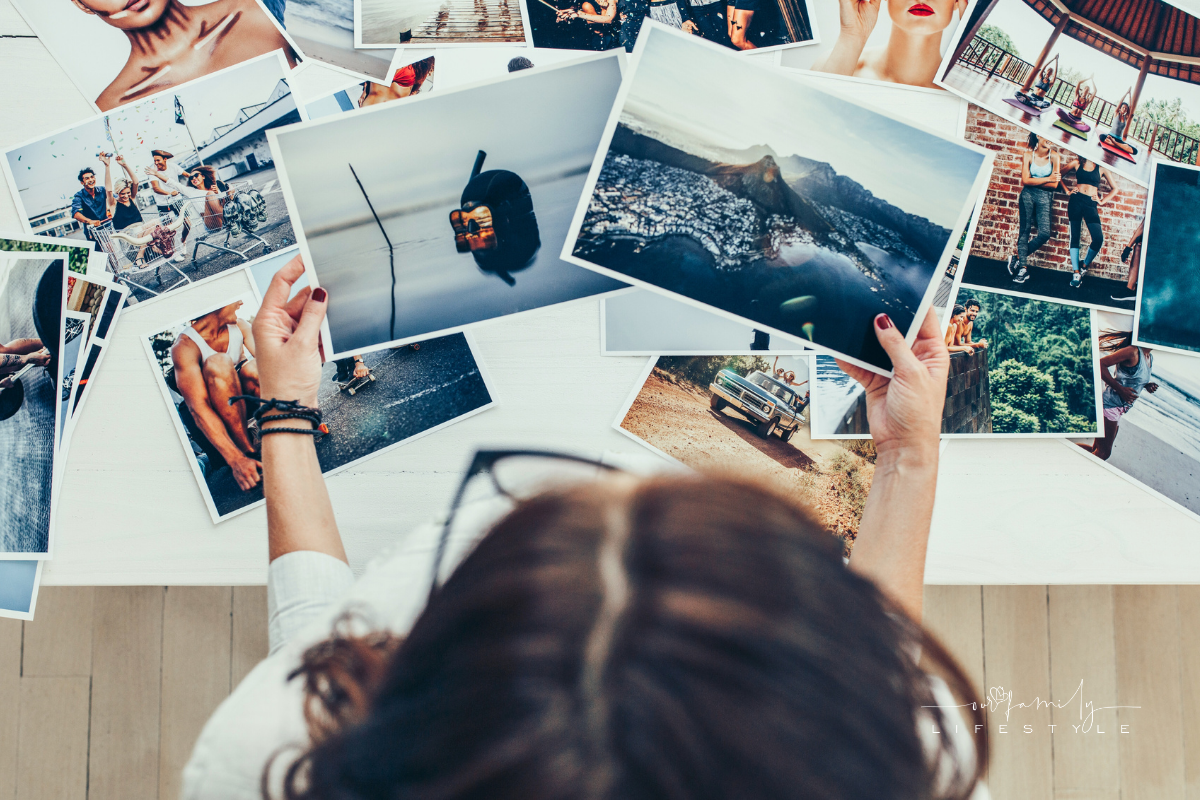
- A printed photo from Walgreens photo printing (matte finish recommended)
- A blank canvas (same size or slightly larger than your photo)
- Mod Podge (matte or glossy—it’s up to you!)
- Foam brush or paintbrush
- Scissors or craft knife
- Credit card or smoothing tool
- Optional: acrylic paint, glitter, stencils for edge finishing
Pro Tip:
Use Walgreens’ same-day pickup option for photo prints to keep your project on track without waiting days for shipping.
🖌 Step-by-Step Guide to Creating Your DIY Photo Canvas
Ready to get crafty? Here’s how to bring your photo canvas to life:
Step 1: Order Your Photo Print
Head to Walgreens Photo Printing and upload your image. Choose your desired size to match your canvas—8x10, 11x14, 16x20, you name it. Matte prints work best to avoid glare when sealing later.
Step 2: Prep Your Canvas
Grab your blank canvas and make sure it’s clean and dust-free. You can paint the edges with acrylic paint if you want to give it a pop of color or a “framed” look.
Step 3: Apply Mod Podge to the Canvas
Using a foam brush, apply a thin, even coat of Mod Podge to the top surface of your canvas. This will help your photo stick and stay flat.
Step 4: Place Your Photo
Carefully lay your Walgreens photo print face-up on the canvas. Start from one side and slowly press it down, smoothing out air bubbles as you go.
Step 5: Smooth It Out
Use a credit card or a flat edge to gently push out any remaining bubbles or wrinkles. Be gentle—you don’t want to tear the photo!
Step 6: Let It Dry
Give it a few hours to set completely before moving on to the next step.
Step 7: Seal It Up
Once dry, brush a layer of Mod Podge over the top of the photo and canvas. This creates a seal and gives it that canvas-like texture. Don’t worry—it dries clear! You can add a second layer if needed.
Step 8: Finishing Touches
Paint the canvas edges, add stencils, write a date or quote on the back—make it yours. Then, hang it up and admire your new masterpiece!
Creative Ideas to Try
Want to take it up a notch? Here are a few extra ideas:
- Gallery Wall: Create a series of canvas prints with a common theme.
- Mix & Match Sizes: Combine 8x10s, 12x12s, and 16x20s for a modern look.
- Canvas Collage: Use one canvas for multiple mini-prints.
- Black & White Vintage Vibe: Order your Walgreens photos in grayscale for a timeless touch.
Saving Time & Money with Walgreens Photo Printing
Let’s be real—convenience matters. Walgreens makes the process super easy:
- Same-day pickup at most locations
- Frequent discounts and coupon codes
- Easy online uploads from your phone, laptop, or social media
- Tons of size and finish options
Walgreens Photo Printing
Walgreens photo printing is a great way to get high quality prints of your photos. The process is quick and easy, and the results are always crisp and clear.
Plus, Walgreens offers a wide variety of paper types and sizes to choose from, so you can always get the perfect print for your needs.
FAQs – DIY Photo Canvas & Walgreens Photo Printing
Can I use glossy photo prints instead of matte?
You can, but matte tends to adhere better and avoids glare when sealing with Mod Podge.
Does Walgreens offer canvas prints too?
Yes! If DIY isn’t your thing, Walgreens also offers professional canvas printing. But making your own is more budget-friendly and personal.
How long does it take for Walgreens to print photos?
Most locations offer same-day pickup if you order before a certain time. Perfect for last-minute projects!
Can I make a canvas using multiple photos?
Absolutely! Arrange them collage-style before printing, or apply them separately on a larger canvas.
How much is Walgreens photo printing?
Walgreens photo printing currently starts at $0.29 for a 4x6 print. pricing for larger prints varies based on size and quantity. (These prices vary based on season, sales, and inflation).
Where can I find a Walgreens photo printing coupon?
To get a discount on your prints, use a Walgreens photo printing coupon. These coupons are available online and in weekly ads. You can also sign up for the Walgreens email list to get coupons and promo codes sent to your inbox.